
Google’s AI Overviews now answer many searches at the top of the page, and the pages they cite get more of the remaining clicks. This guide is the hands-on part: how to find the pages affected, fix what you control, and measure whether it worked.
Where this guide fits: if you want the background first (what changed, what the click studies show and why), read how Google AI Overviews are changing SEO in 2026.
Check it yourself in 60 seconds
Open a private or incognito browser window, go to Google, and search three questions your customers ask before they buy from you. For each search, look at the top of the page:
- Does an AI Overview box appear above the regular search results?
- Is your website named and linked inside that box?
- Which competitors or directories are cited instead of you?
Write down what you see. Those three searches are the starting point for the steps below.
Google AI Overviews: The Basics
- AI Overviews are AI-written summaries at the top of some Google results, with links to the pages they used.
- Google shows them only when it decides a summary adds something, mostly on informational questions.
- Google says there are no extra requirements or special sign-up to be included. If your page shows up in regular SEO results with a normal preview snippet, it can be used in an AI Overview (Google Search Central).
- Studies show fewer clicks when an AI Overview appears, and more clicks for pages it cites. The numbers are in our AI Overviews explainer.
Step 1: Find the Pages AI Overviews Are Affecting
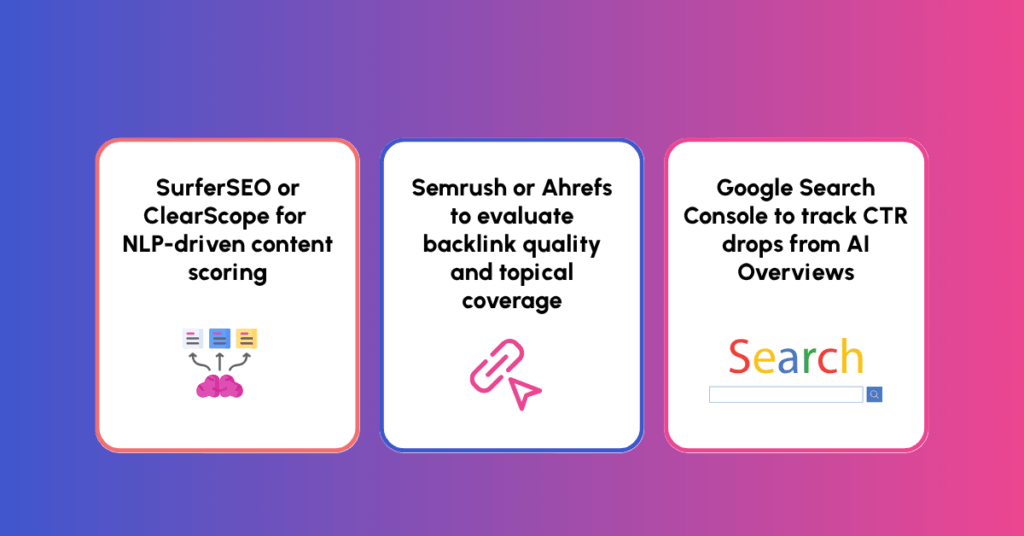
Google counts AI Overview appearances inside the normal Search Console Performance report (search type “Web”), without a separate label. So look for the pattern:
- In Search Console, compare the last 3 months with the same period a year earlier.
- Filter to pages where people still see your site in search results (impressions held or rose), but fewer people click through.
- Search the top questions for those pages yourself in a private browser window and note which ones show an AI Overview, and whether your page is cited.
- Put the results in a sheet: question, AI Overview yes or no, cited yes or no, and which sites are cited instead.
That list is your work queue. Start with questions that bring buyers, not just casual readers.
Step 2: Fix the Basics Google Lists
Here is what you can check directly as the business owner (source):
- Put the important answers in plain page text, not locked inside images, videos, or downloadable PDFs.
- Link to the page from related pages on your site so both visitors and Google can find it easily.
- Keep your Google Business Profile and product listings current so your hours, services, prices, and stock match what is on your website.
- Give people a clean page experience: fast, easy to read on a phone, with no pop-ups covering the answer.
You don’t need a special AI text file or AI-only plugin. For the behind-the-scenes settings, forward the box below to whoever manages your website.
Send this to your web person: Ask your developer, IT contact, or hosting provider to check these three settings:
- Crawler and host access: Check
robots.txtand your CDN or hosting firewall soGooglebotisn't blocked. AI Overviews use regularGooglebot(blockingGoogle-Extendedaffects Gemini training and grounding in other Google systems, not inclusion in Google Search). - Structured data: Confirm that any schema markup on the page matches the visible text accurately.
- Snippet controls: Confirm priority pages do not accidentally carry
nosnippet,data-nosnippet, restrictivemax-snippet, ornoindextags, which restrict what both regular snippets and AI Overviews can show.
Step 3: Make Your Page the Clearest Answer
When someone asks a detailed question, Google breaks it into several smaller searches behind the scenes to build one combined answer, so your page should cover the main question and the natural follow-ups:
- Answer first. Put a direct answer to the question in the first paragraph, then add the supporting detail underneath.
- Use headings that match the questions people ask, for example “How much does X cost?” rather than “Pricing overview”.
- Cover the next questions your buyers ask, using Google’s “People also ask” boxes and your own sales and customer service questions as a checklist.
- Add what only you can say: your own numbers, examples, photos, and named experts with real credentials. Generic pages that repeat everyone else give Google no reason to cite you.
- Show who wrote it and when it was updated, and link to your sources.
Step 4: Stay Visible When You Aren’t Cited
You won’t be cited for every question. You can still win the next click:
- Target the follow-up searches that come after the summary, which are usually more specific and closer to a purchase.
- Group related pages together: a main guide plus linked pages on each follow-up question, so your site covers the whole subject.
- Write page titles and descriptions that offer more than a short summary (a checklist, a calculator, real prices, or a local breakdown).
- Protect searches for your business name. People who see your name in an AI answer often search for your business next, so make sure the pages that show up for your name are accurate and current.
Step 5: Measure It
- Re-check your Step 1 questions every month and record whether your page is cited.
- Track clicks and leads per page, not just rankings. Google notes that visitors who click through from results pages with AI Overviews tend to spend more time on the site, so watch leads and sales alongside total clicks.
- Check whether AI assistants name you too, with the 10-minute ChatGPT visibility check.
FAQ: AI Overviews and Organic Visibility
Can I remove my page from AI Overviews? Yes, though it is rarely a good idea for marketing pages. Your web person can use standard Google preview controls (listed in the technical box above) to limit what Google quotes, but those settings also shrink your regular Google search snippet on the same page.
Do I need special FAQ or HowTo code on my page to appear? No. Google says no special code or markup is needed to appear in AI Overviews. Clear, factual answers on an indexed page are what matter.
How long until changes show up? Google has to revisit your page first, which can take days to a few weeks. Re-check your buyer questions monthly instead of daily.
Too busy, don’t know how, or don’t want to fix it yourself? We can help
If you’d rather not work through these steps yourself, start with an Opportunity Review. Before any conversation about working together, we look at your real numbers, find the pages losing clicks to AI Overviews, and run the questions your buyers ask through Google and the major AI platforms. We show you what is holding your visibility back at no cost and with no obligation, and the findings are yours to keep.